
Overview
Prime Mover PRO 2.2.3 ships with a PRO feature called “Package notes“. This is a user-requested feature. The primary purpose:
“This was incredibly useful for organizing and remembering the purpose of specific backups. This is made possible by adding and editing notes to individual packages.“
What does it look like?
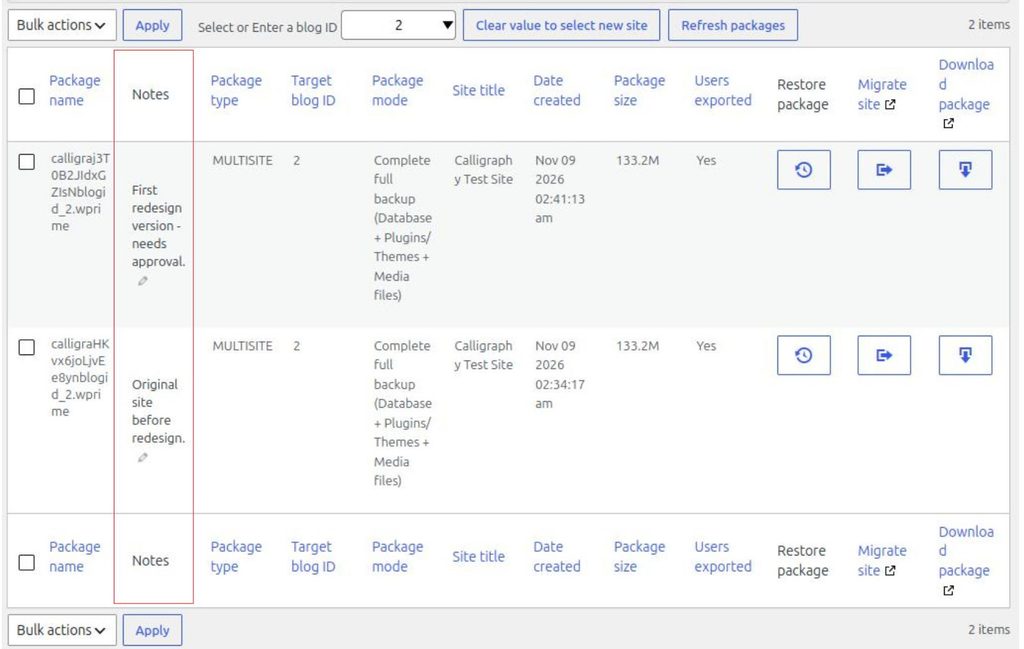
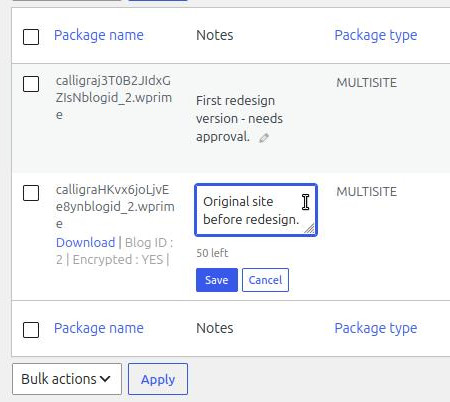
This is found in the Package Manager section (Prime Mover PRO -> Packages). It’s in the second column next to “Package Name”. And this is what it looks like when you click the Pencil edit icon:
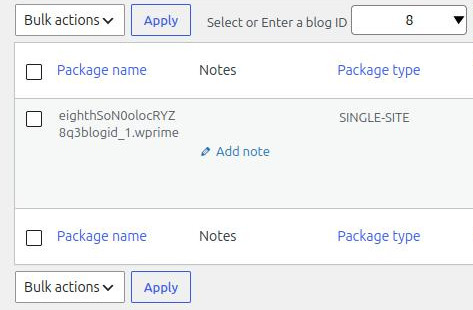
And this is what it looks like when there are still no notes added to the package.
Package Notes Specifications
- Adding/editing package notes requires a site to have a PRO license. In multisite, this means a subsite needs an activated PRO license to enter notes.
- If the license is expired or reverted to the FREE plan, the notes will still display but will no longer be editable.
- There is only an 80-character limit.
- No HTML allowed.
- It will accept non-English languages.
- You can edit notes as many times as you like; you can even set a note to blank.
- Package notes are site-specific. Package notes only belong to a specific package at that specific site. Package notes cannot be moved to a different server. In that case, you must copy the notes manually.
- Please note that if you delete or uninstall the Prime Mover plugin, it will also auto-delete the notes.
- If you delete a package via Package Manager, it will also delete its associated notes.
- If you delete all backups via Settings -> Backup Management -> Delete all backups. It will delete all package notes belonging to the deleted packages.
- This applies to both multisite and single-site.
- Package notes can only be added after the package is created.
Was this article helpful?
YesNo